Editing Insufficient Elements in a Timber Building with StatiCAD
For Version 9 and Later You can resolve deficiencies using the "Select Insufficient Elements" and "Increase Selected Element Dimensions" options from the Macros menu.
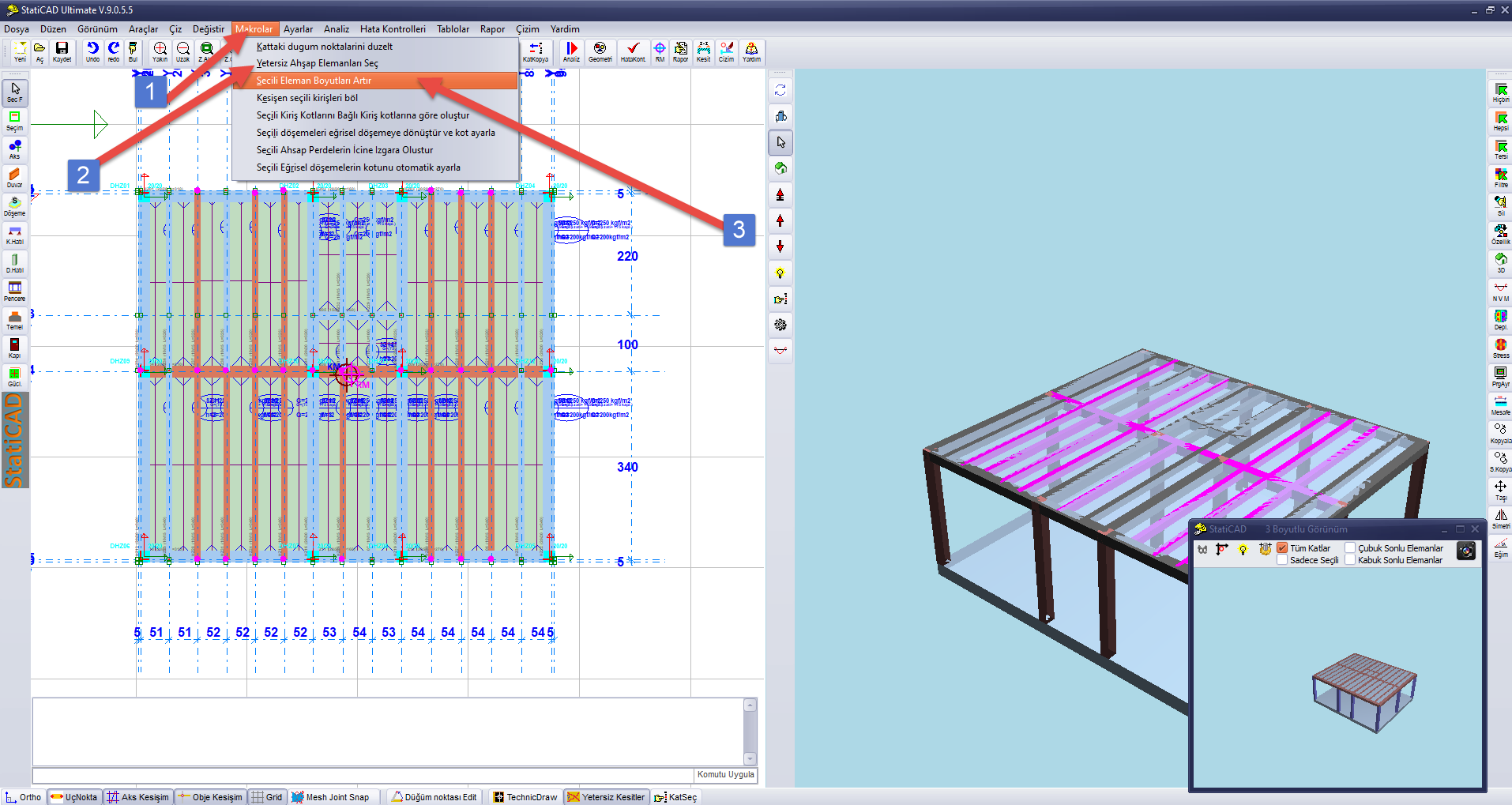
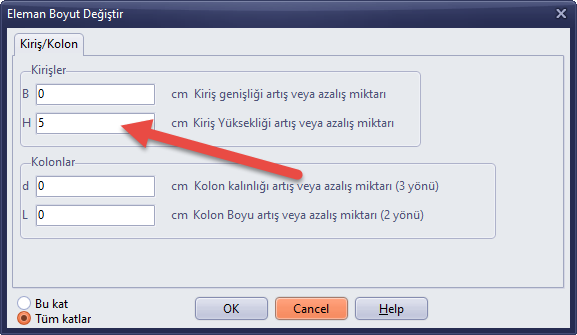
If some elements still show deficiencies after re-running the analysis, you can repeat the process.
For V8 Versions, the Following Steps Can Be Followed
After opening the model and running the analysis for 3D editing, go to the 3D Ultimate page on the startup screen.
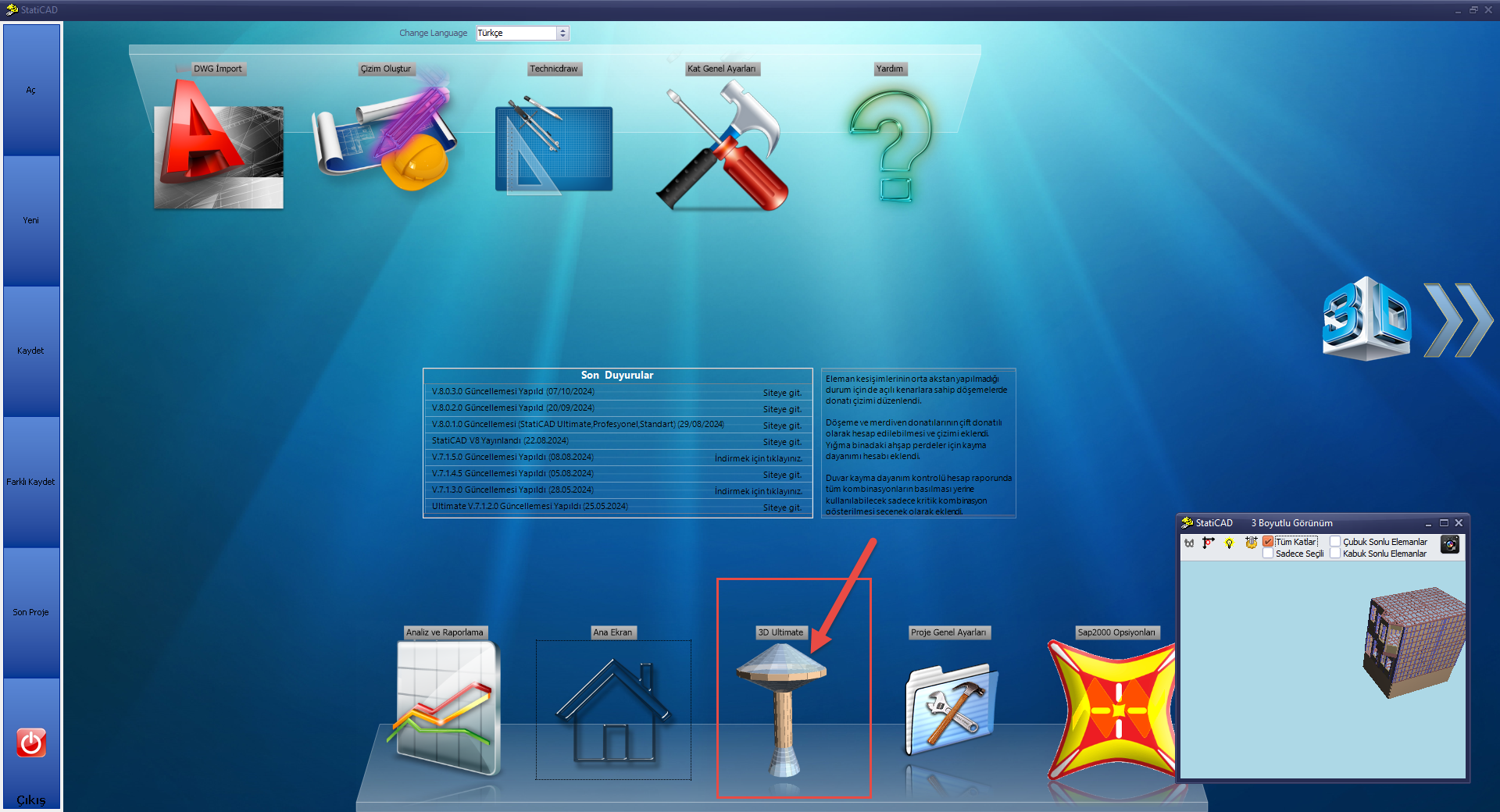
You can also access the 3D Ultimate screen after running the analysis by pressing the NVM button on the Main Screen and turning off the finite element results display mode in the form that opens.
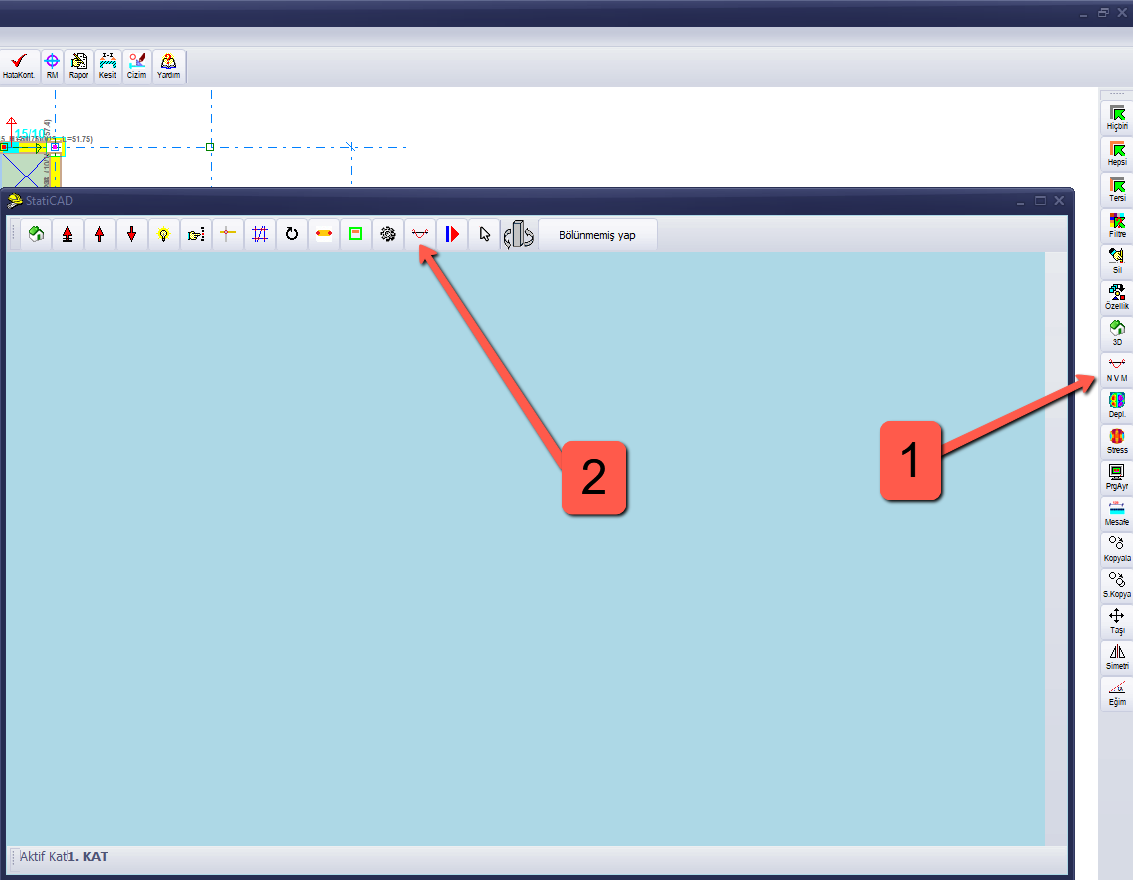
To view insufficient bar elements, turn off layers you consider unnecessary — such as the wall and slab layers — using the Layer button on the 3D Ultimate screen.
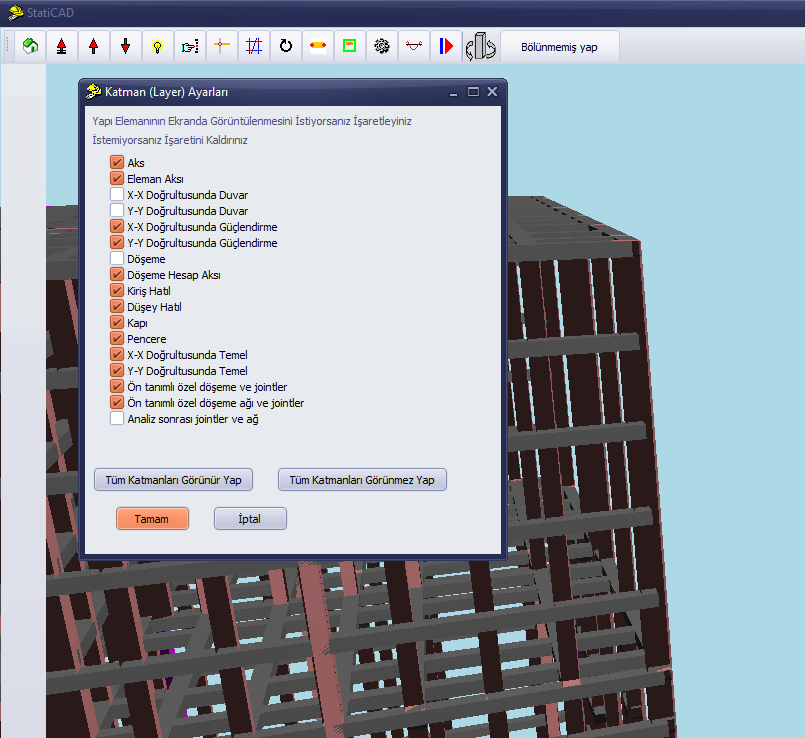
After the analysis, insufficient elements will appear in pink. To select insufficient elements, use the left mouse button; for multiple selection, use Ctrl+Left Mouse Button. Selected elements will turn yellow.
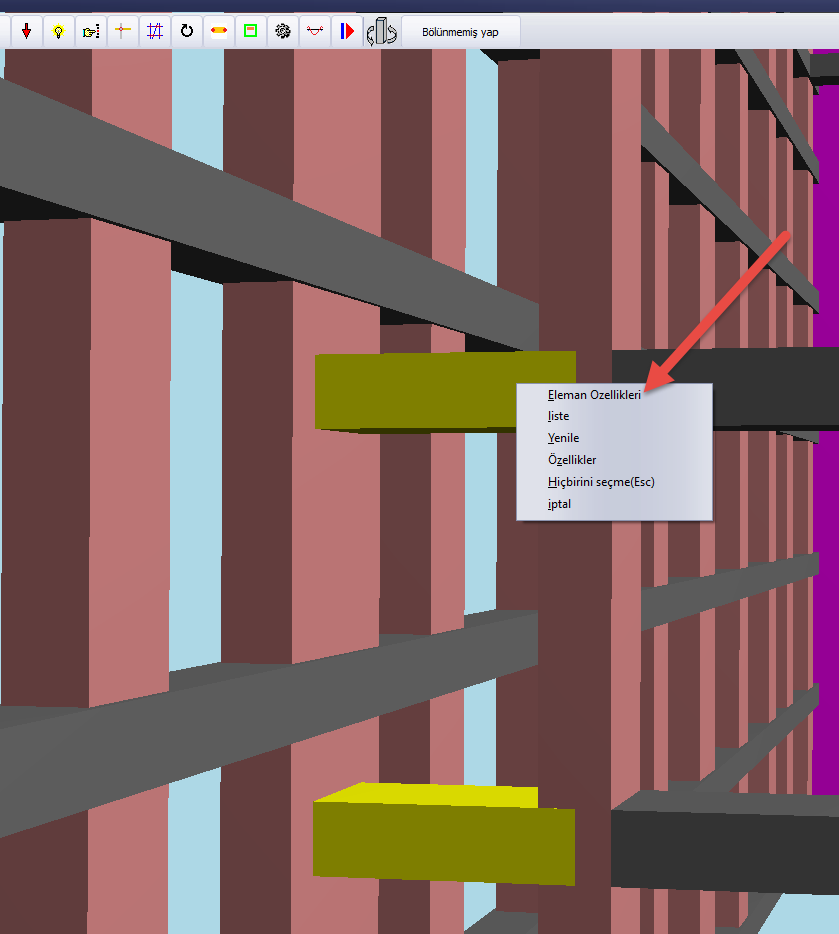
Click the "Element Properties" option from the menu that appears with the right mouse button.
Make the necessary changes in the element properties window. Apply the changes with the OK button.
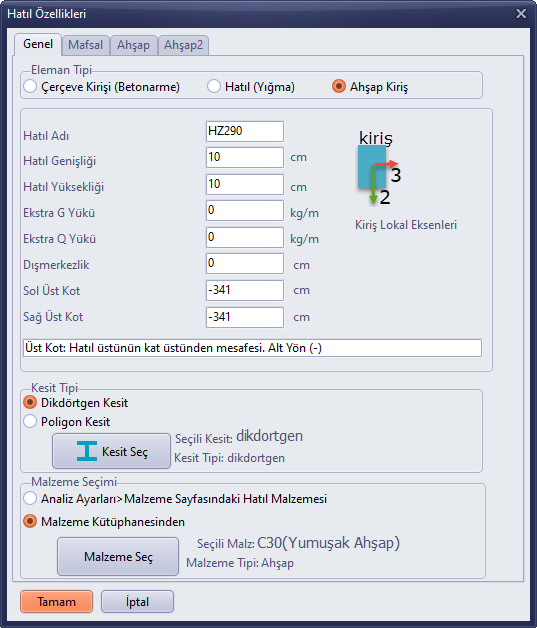
An alternative (more difficult) method to the one described above is also presented in the video below.