Preventing Reinforced Concrete Slab Calculations from Appearing in Reports and Drawings
If there are slabs for which you do not want slab reinforcement calculations to be performed in the drawings, right-click on the relevant slabs and click the delete slab calculation axis command in the options that appear.
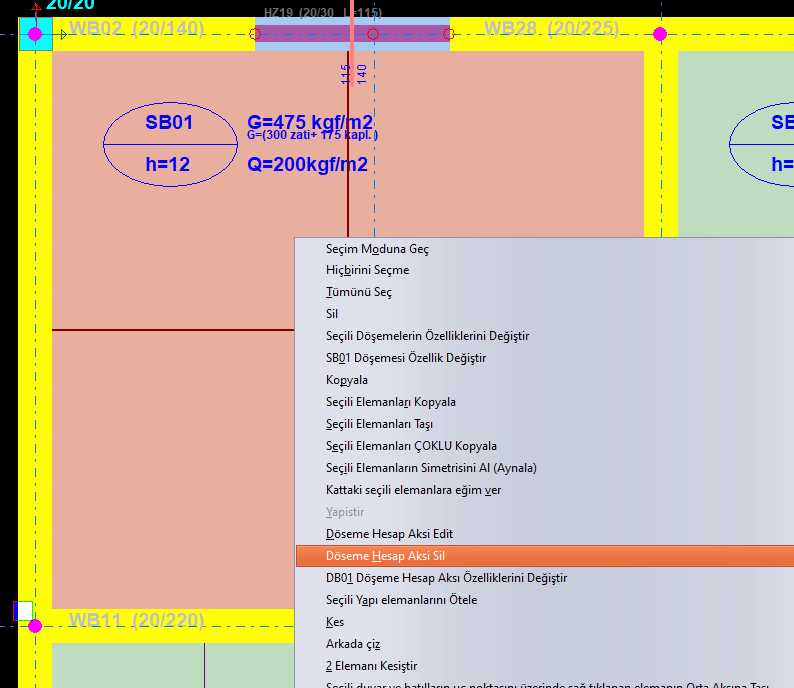
In this case, the slab calculation axis shown with the + symbol on the slab will be deleted, and reinforcement calculation and drawing will not be performed for the relevant slab.
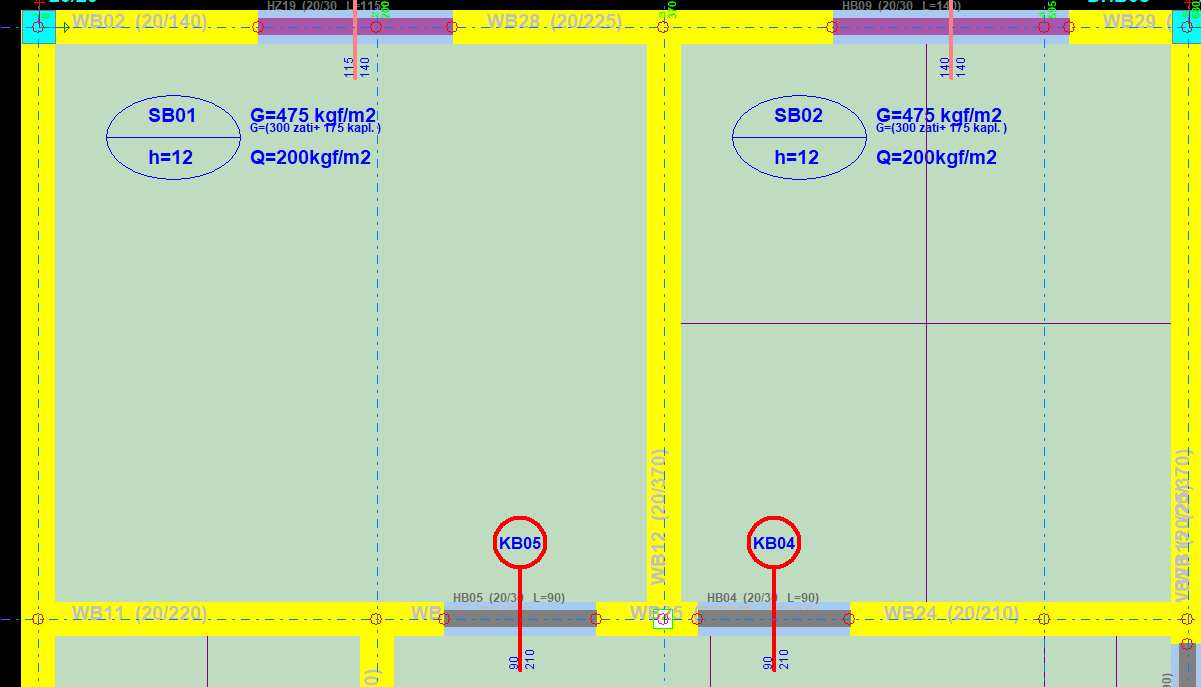
If you want to delete the calculation axis for multiple slabs at once:
Select the slabs, click the filter command on the right side of the screen, and in the selection filter form, leave only the slab calculation axis option selected so that only slab calculation axes remain selected. After pressing the OK button, only the calculation axes will remain selected. Click the Delete button to delete the selected calculation axes.
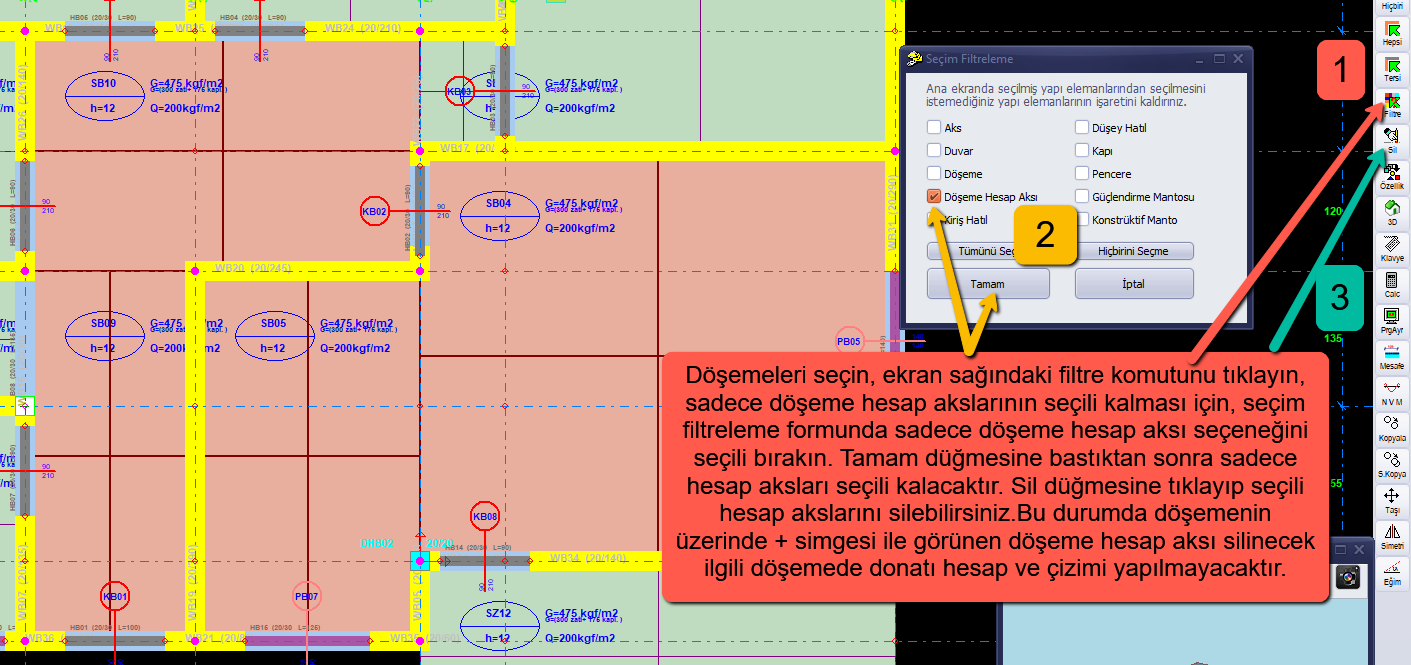
In this case as well, the slab calculation axis shown with the + symbol on the slab will be deleted, and reinforcement calculation and drawing will not be performed for the relevant slab.