Finding Model Errors from Node (Joint) Displacements
After running the analysis, the following procedure can be followed to detect errors in element connections or in the finite element model.
1 — Performing the analysis with a semi-rigid diaphragm may make it easier to identify modeling errors.
2 — After the analysis, pressing the NVM button on the right toolbar of the form in the modeling screen brings up the 3D finite element model of the system.
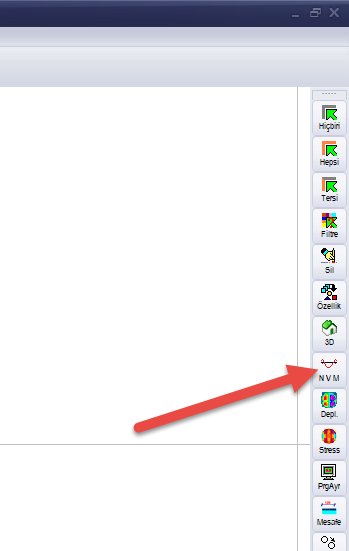
3 — You can also access the same screen via the 3D Ultimate option on the entry screen.
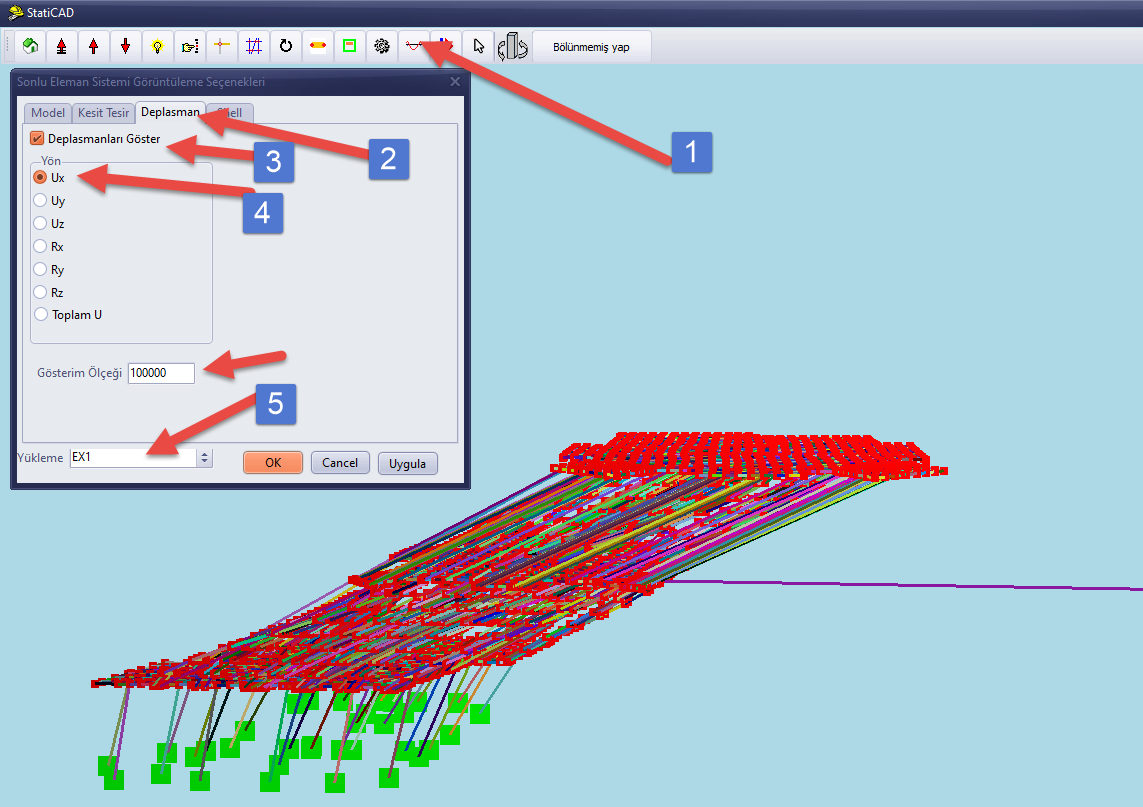
In the finite element display options form, check the Show Displacements option on the Displacement page. When the Direction Ux and Loading Ex1 options are selected, the displacements of the elements and nodes in the X direction will be displayed.
If an element shows excessive displacement compared to other elements, there may be a connectivity problem with adjacent elements (in the same storey or in the storey below or above). For example, if the element is a cantilevered wall, it may not be supported on a beam or slab in the storey below. If the element with excessive displacement is a beam, its connection to the elements in the same storey may not have been made from the correct axis/grid line.
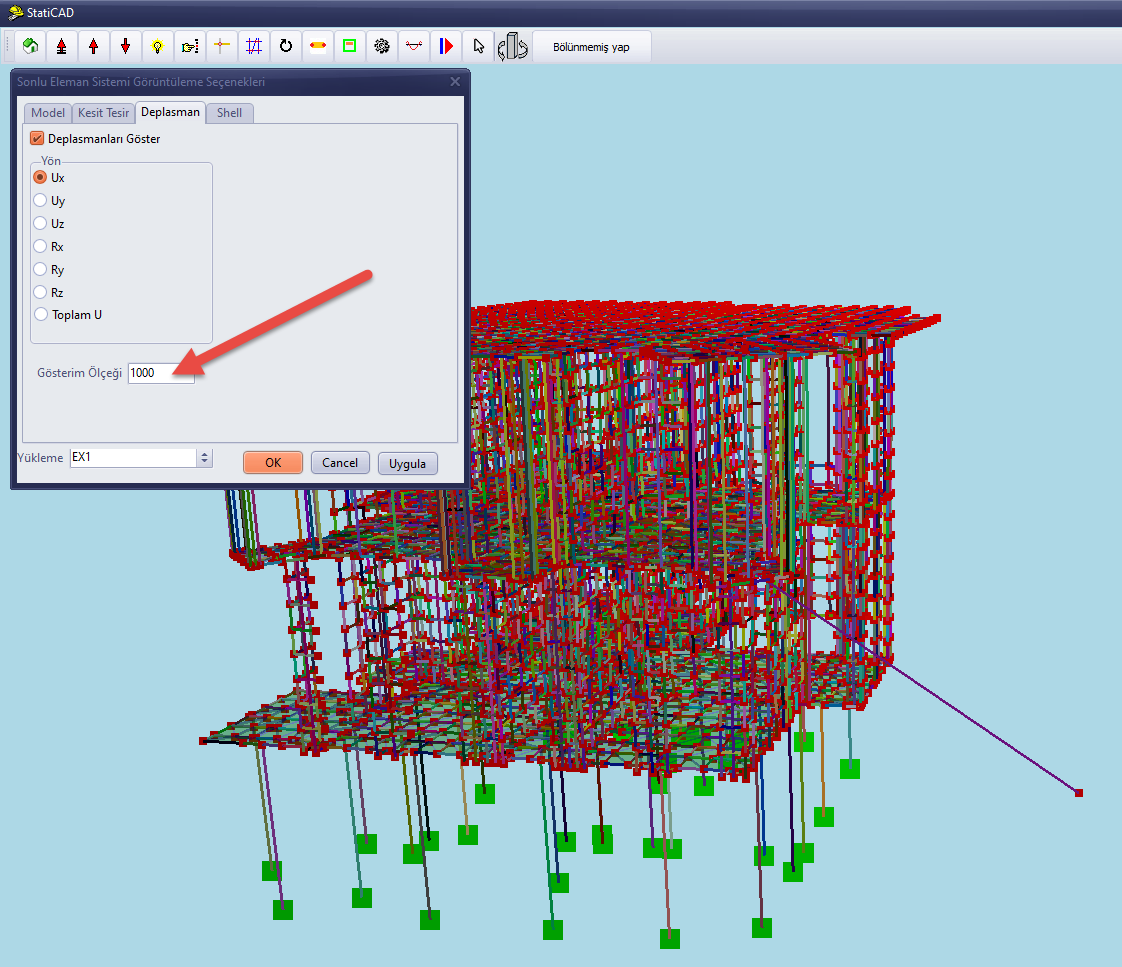
4 — To see the full extent of the element with excessive displacement, reduce the display scale so that both ends of the element fit on the screen.
5 — To see the element name, check the Show Bar Element Names option on the Model page.
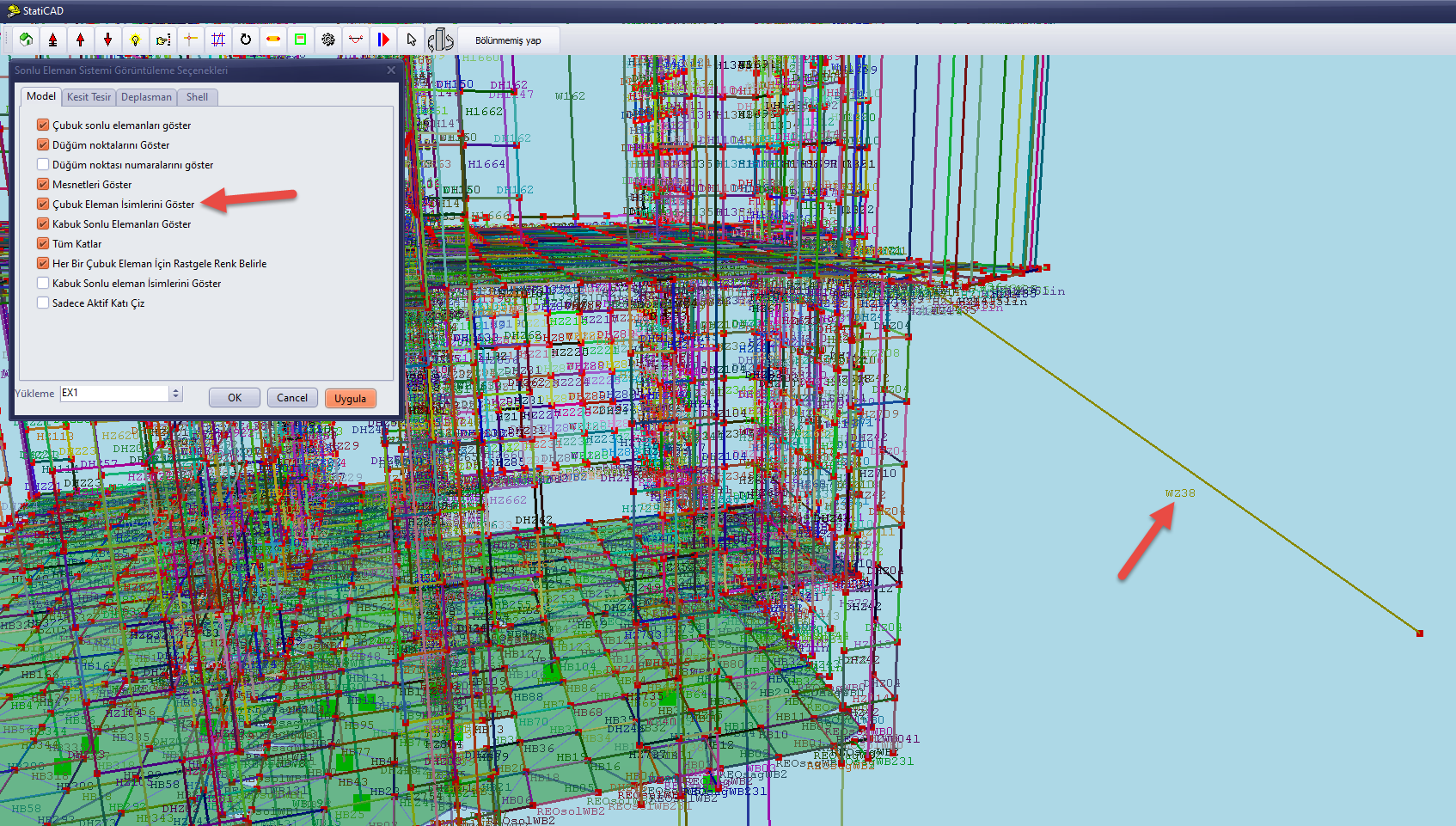
6 — After learning the name of the problematic element, use the Find command on the main screen to locate and select it. Examine its connections to other elements in the same storey, the storey below, and the storey above. Correct any issues you suspect may be causing the connectivity problem, re-run the analysis, and check whether the problem is resolved.
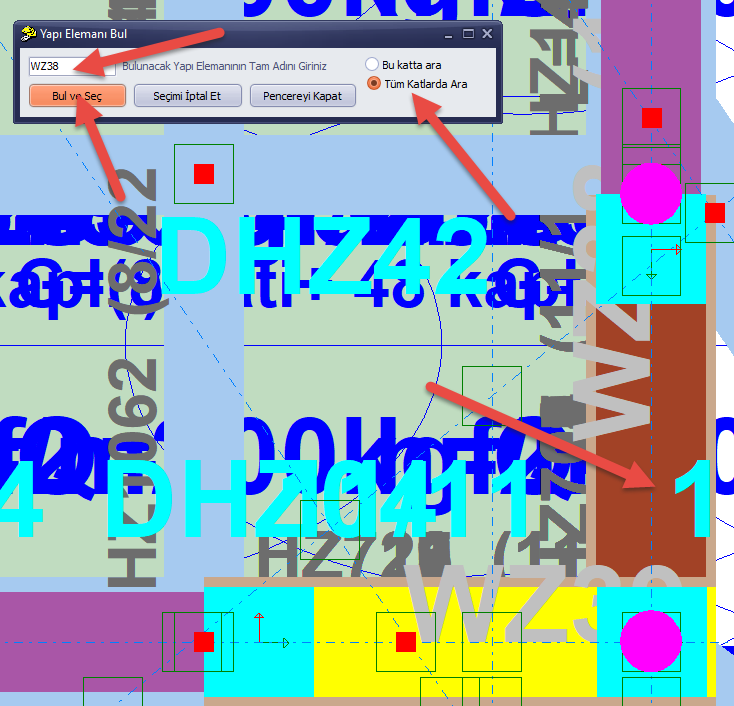
7 — To see problems in the Y earthquake direction, Loading Ey1 / Displacement Uy can be selected; to see problems under vertical loads, Loading G / Displacement Uz can be selected.