Troubleshooting
Common problems
| Problem | Probable cause | Solution |
|---|---|---|
| “Kilit Bulunamadı; Yazılım Kilidini (Dongle) takarak programı yeniden çalıştırınız” (Lock not found; plug in the software lock (dongle) and run the program again) | The lock is not plugged in, cannot be read, or a second instance of the program is running | Plug in the lock, close the other StatiCAD instances and restart the program. If the problem persists, check the lock serial number with RemoteUpdateClient.exe in the program folder and contact support. |
| The splash screen appears and disappears | The company-specific lock file is not installed | Download the lock file from the User Panel and install it. |
| Missing DLL error | The Visual C++ runtime is missing | Install the vc_redist.x64 package. |
| “Sağlayıcı Bulunamadı” (Provider Not Found) error | The Office/ACE data provider is missing | Install the provider fix package from the StatiCAD support page. |
| The shortcut says “file not found” | The antivirus has removed the program file | Add the C:\StatiCAD folder to the antivirus exceptions and reinstall the program. |
| Element is not visible | The layer is off, a different storey is active, or the element is outside the view | Check Layer Settings and the active storey, and press Z.Hepsi (Zoom All). |
| The 3D panel is not updated | The view has not been refreshed or the finite element view is on | Press the Refresh button in the 3D panel and, if necessary, turn off FEA. |
| The report cannot be produced | The analysis has not been run, or the project has changed since the analysis | Run the analysis again. |
| “TEMEL MODELLEMESİ YAPINIZ” (Model the foundation) in the analysis | There is no foundation under some walls/columns | Complete the foundations on the TEMEL (foundation) storey. |
| “Yük Aktarımı yapılırken kısmi hata oluştu” (A partial error occurred during load transfer) in the analysis | Incompatibility in transferring the slab loads to the load-bearing elements | Read the relevant article with Help on the row; open Analysis Process Details to examine the transfer; check the slabs and slab calculation axes. |
| The program closed unexpectedly | — | Load the last record with File › Recover Last Project or Recover Project by File No.. |
1. Version Information and Support
The program version appears in the title bar and in the Help › About StatiCAD-Yigma window. The Knowledge Base, Training Videos, Support, User Panel and Get Remote Help commands in the Help menu lead to the support resources; web links open in the default browser.
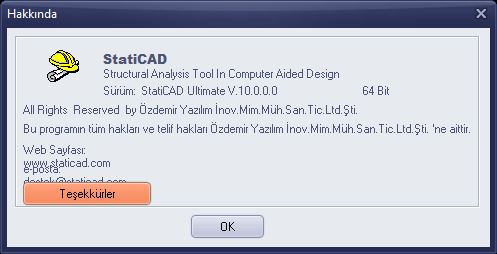
About window
For other problems: Dongle Problem, Antivirus Warning Occurring, File Save/Open Problems and Unable to select objects on screen or unable to draw on screen.