Installing StatiCAD Updates
1- When a new update is available for the program and the program's internet access is not restricted, you will see a prompt at startup asking whether to download the available update. After downloading the setup file, you can close the program and install the new version without removing the old one. Performing the installation while the program is open may cause errors.
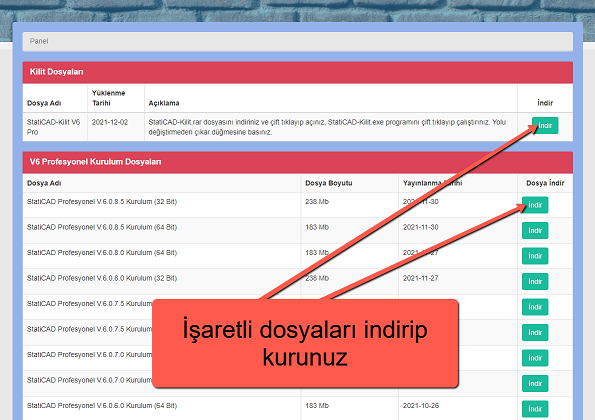
2- You can download and install the update manually from your user panel. You can check whether there is a new update for the program at https://www.staticad.com/tr/update.aspx.
From your customer panel ( https://www.staticad.com.tr/oz/giris.aspx ), download the latest version setup files of the program, StatiCAD V.X.X.X.X Installation (32 Bit and/or 64 Bit), and install them. You do not need to remove previous versions when installing. The lock files do not need to be reinstalled; reinstalling them does no harm.