Defining Timber, Reinforced Concrete, Concrete, Steel, Masonry, and Other Materials in StatiCAD V6
In StatiCAD Version 6, in addition to defining materials by specifying the modulus of elasticity and unit weight for each element type on the material page of the general project settings, forms have been added to optionally assign different materials with detailed properties to column, beam, wall, and foundation elements. Materials can be assigned to sections to be created, or they can be assigned directly to the element itself as a special assignment. If different materials are assigned to both a section and an element, the material assigned to the element takes precedence.
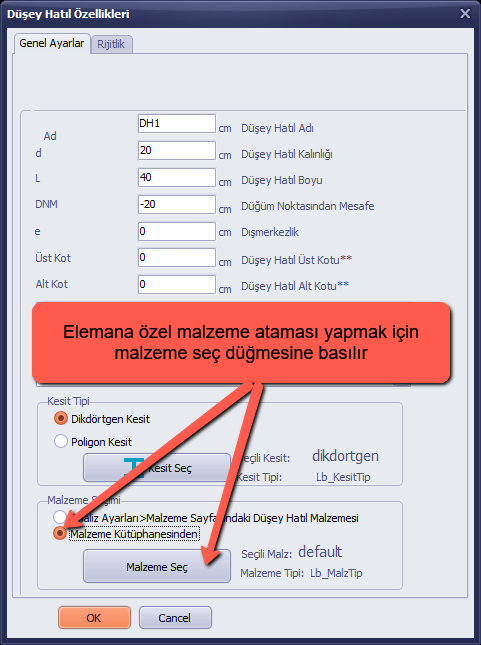
To make a material assignment specific to an element, select the "From Material Library" option in the Material Selection group box and click the "Select Material" button.
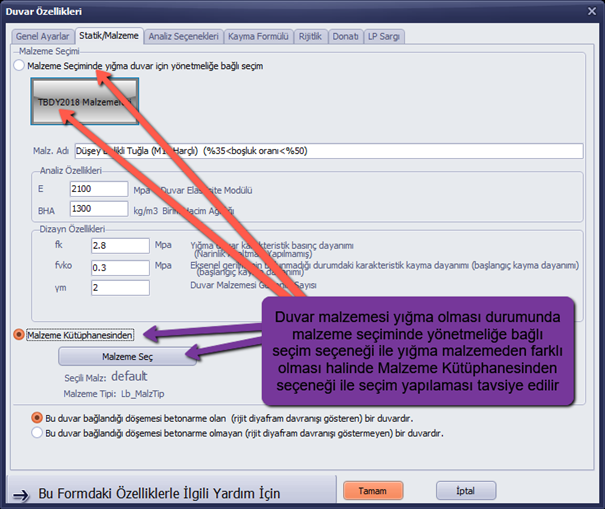
If the wall material is masonry, it is recommended to use the "Code-based selection" option for masonry materials, and the "From Material Library" option if the material differs from the standard masonry material.
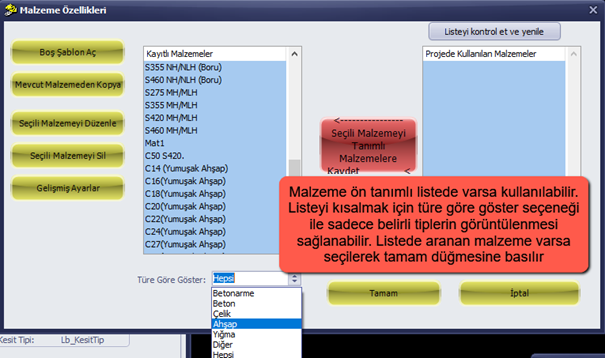
If the material is available in the predefined list, it can be used directly. The "Show by type" option can be used to filter the list to display only specific types. If the desired material is found in the list, select it and click the OK button.
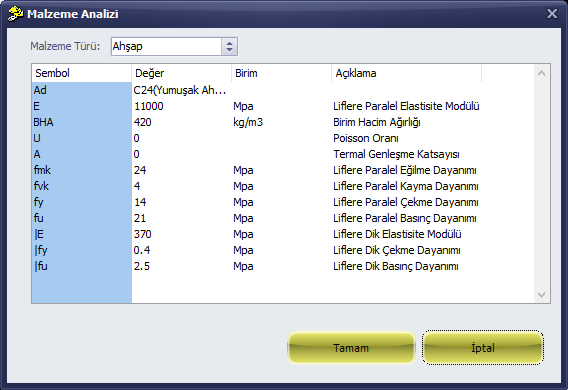
To define a new material, click the "Blank Template" button. Select the material type, enter its properties, and click the OK button.