Multiple Property Modification
To change the properties of multiple elements on a storey at once;
Select the elements whose properties you want to change.
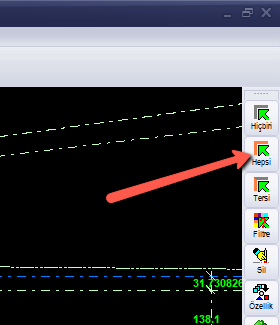
You can perform the selection by clicking on the elements with the left mouse button, or by enclosing the elements within a frame using the left mouse button, or by using the "Select All" option in the menu that opens with a right-click, or by using the "Select All" button located at the top-right of the modelling screen.
Hover over one of the elements you want to modify and press the right mouse button. (For example, right-click on a wall.)
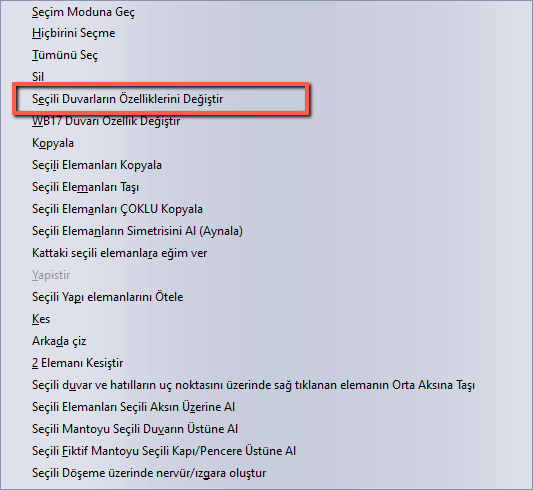
Click the "Change Selected Element Properties" option. (For example, Change Selected Wall Properties.)
In the window that opens, enter the new value in the property field whose value you want to change.