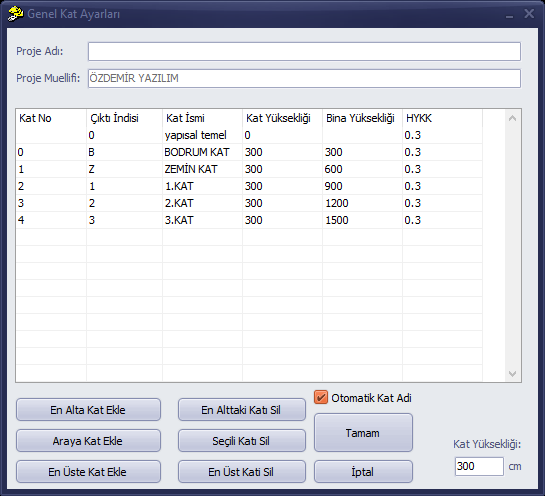
General Storey Settings
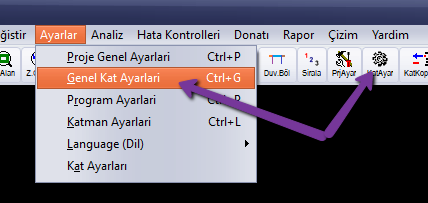
To add, delete, or rename storeys, change the output index, change storey height, or specify the live load participation factor for a storey in your project, open the General Storey Settings window from the Settings menu or via the storey settings button on the main screen.
On the form that appears, you can make changes related to the storey and enter the project name.