Copy Storey
After creating storeys in your project, navigate to the storey you want to copy.
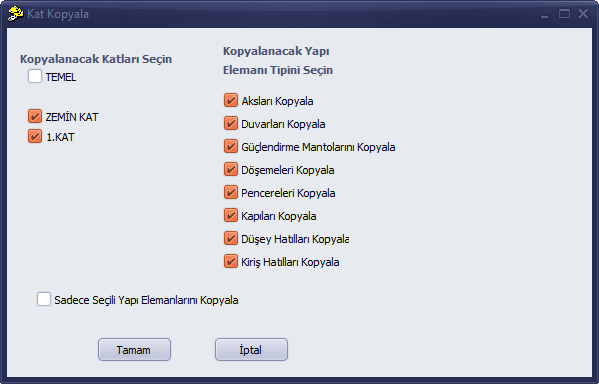
The element types to be copied are related to which types of elements will be copied to the target storey. For example, if you want to copy all axes in the active storey regardless of whether they are selected or not, only axes should be selected as the element type. The option to copy only selected structural elements must not be active.
If you want to copy only the elements you have selected on the modelling screen of the active storey and do not want unselected elements to be copied, click the option to copy only selected structural elements.