Defining a Raft Foundation with StatiCAD
Starting from StatiCAD Ultimate version 6.2.0.0, raft foundation calculations can be performed for reinforced concrete and masonry buildings.
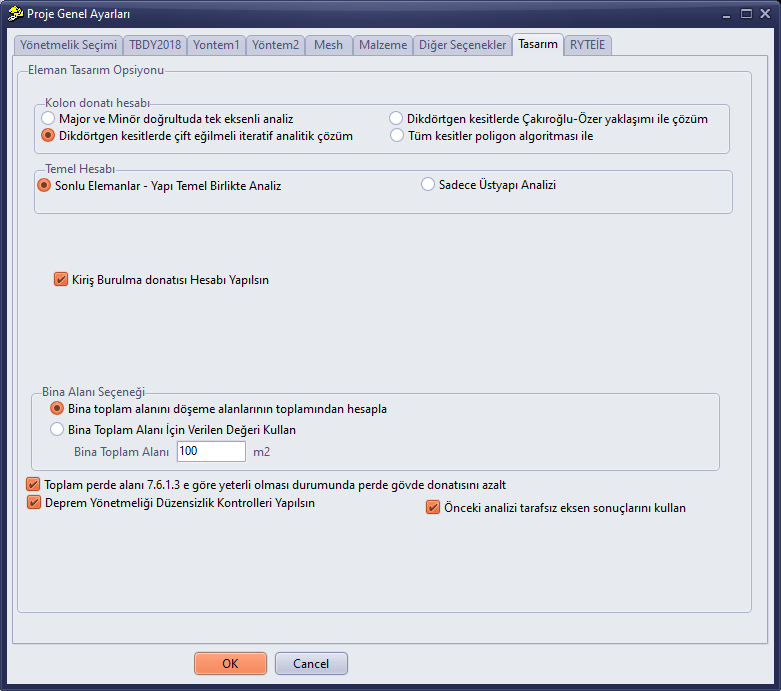
To enable raft foundation calculations, the Finite Element – Simultaneous Structure-Foundation Analysis option must be selected under the Foundation Calculations section on the Design page of the general project settings.
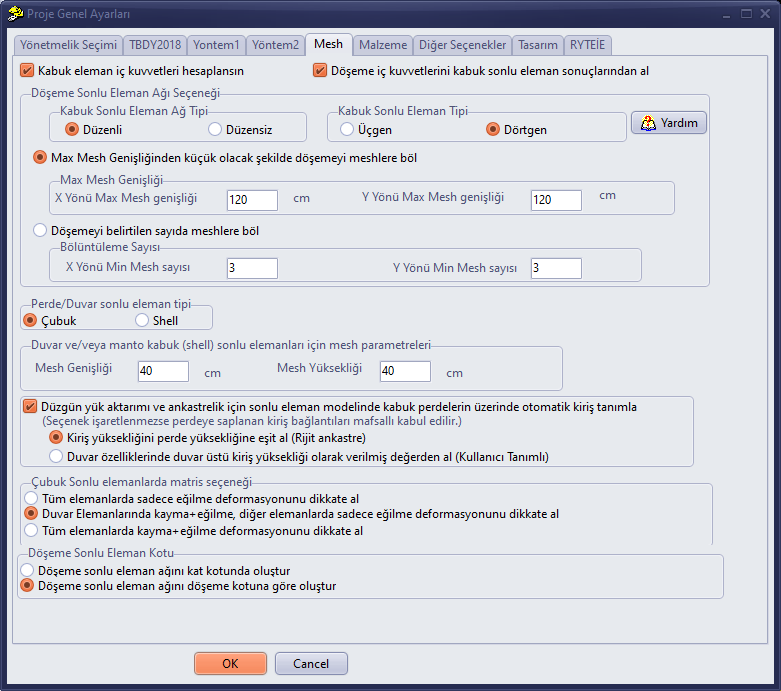
Additionally, on the Mesh page, the options Calculate shell internal forces and Obtain slab internal forces from shell results must be checked.
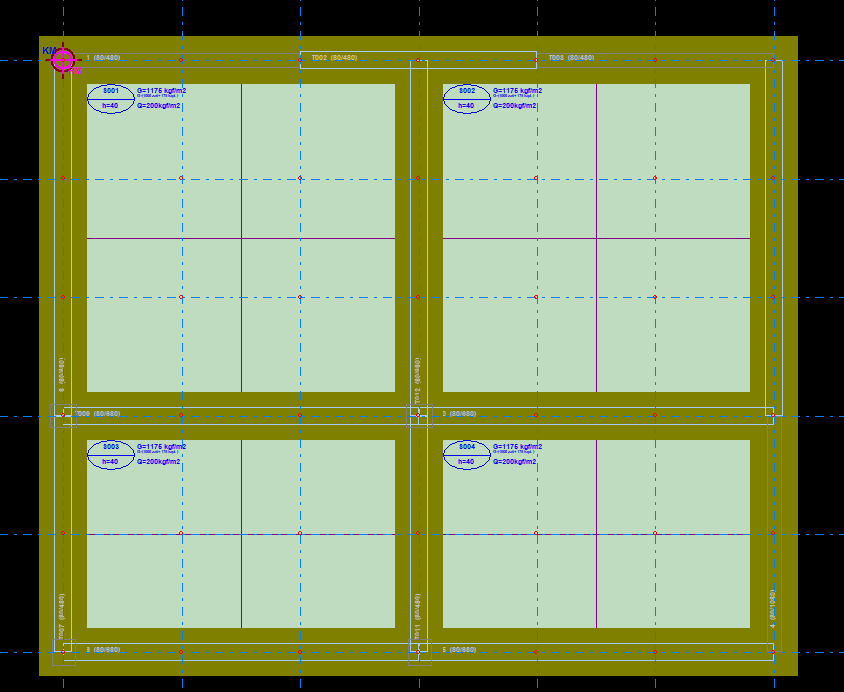
If you want to design a beam-supported raft (ribbed raft): you may select Shell finite element mesh type: Regular / Shell finite element type: Quadrilateral. Draw continuous foundation beams on the foundation storey, then draw the raft slab between the beams using the Slab command.
If you want to design a flat (beamless) raft: select Shell finite element mesh type: Irregular / Shell finite element type: Triangular. On the foundation storey, draw single or segmented raft slabs between the desired grid lines.
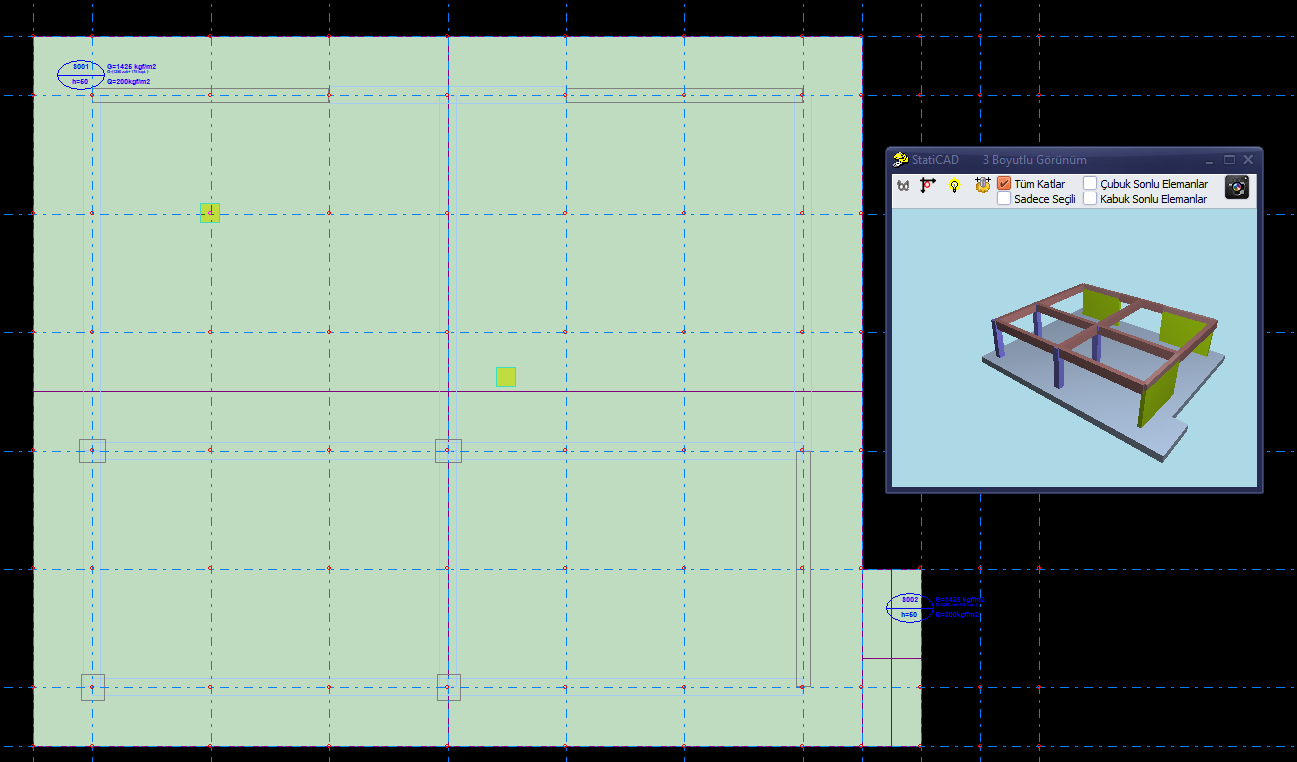
Slabs drawn on the foundation storey in the program are treated as raft slabs.
For beamless raft calculation, modeling must be done using the quadrilateral or rectangular slab option that enables irregular triangular mesh generation during analysis, so that the raft foundations can be subdivided according to the nodes of the vertical structural members above them. Polygon and curved slabs should not be used for beamless rafts, since a mesh structure is formed when they are created.
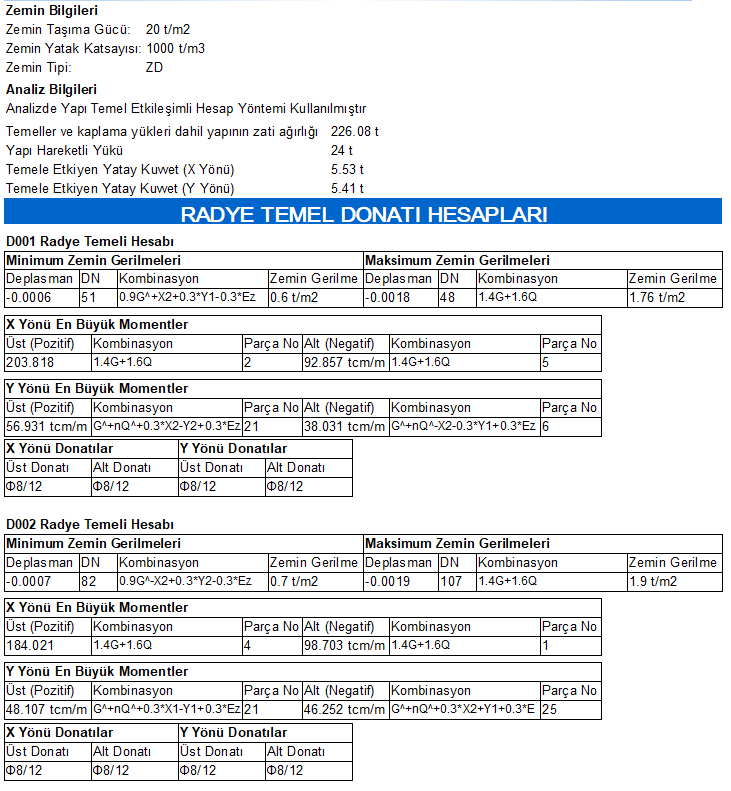
After running the analysis, raft foundation calculations will also be displayed when the foundation calculations report is retrieved.
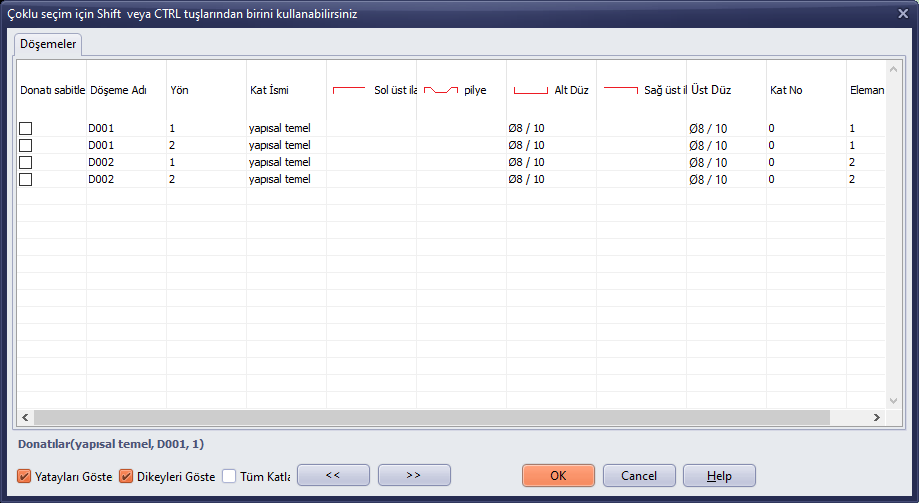
Additionally, when you click on the slab reinforcement tables on the foundation storey, a window will appear where you can change the reinforcement assigned as raft reinforcement. The reinforcement bar diameters and spacings can also be modified from here.